 Works inside ChatGPT and Claude
You do the reps. Your AI does the rest.
Meals, programs and coaching, handled in the chat you already use.
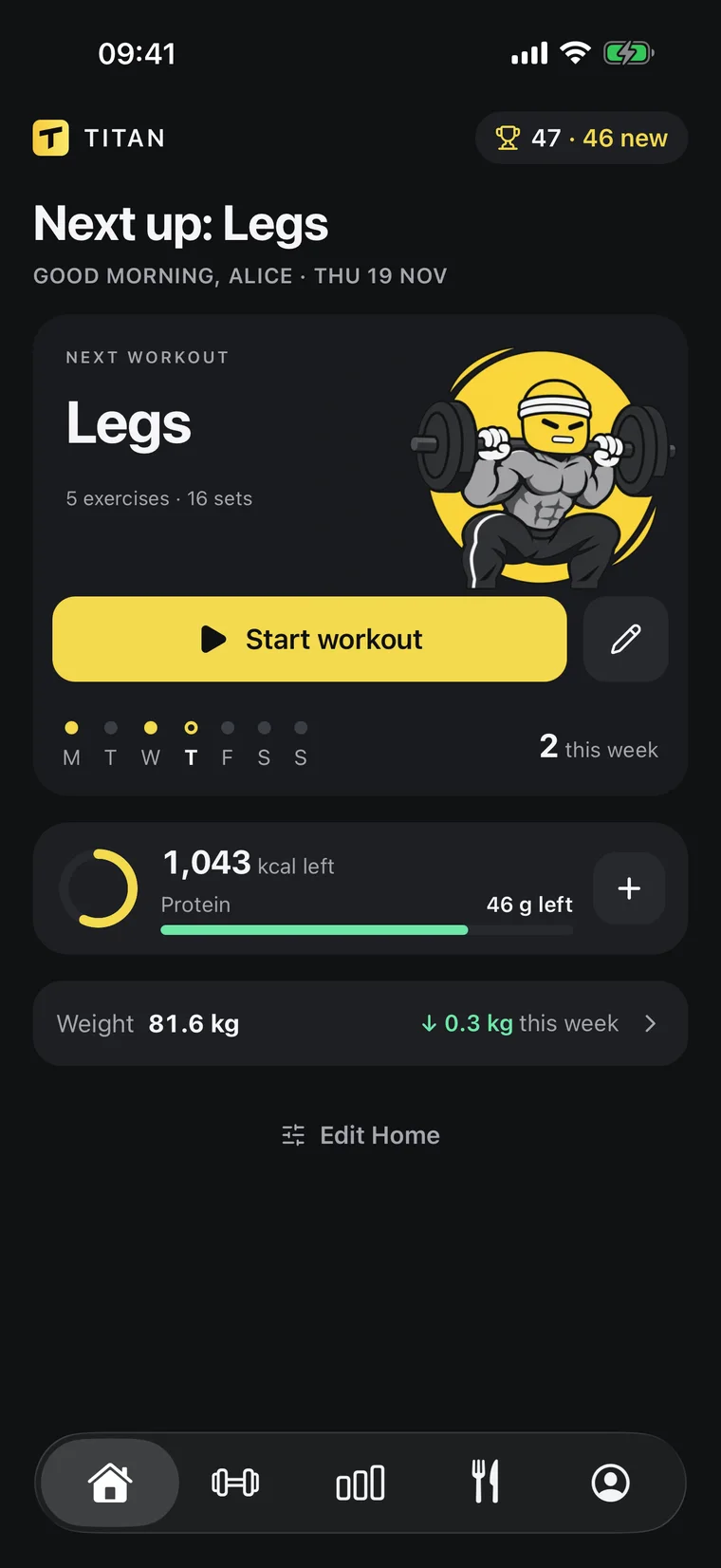
In the gym, one tap per set.
- One tap per set
- Meals logged by your AI
- Programs from your history


Works inside the AI you already use
ChatGPTClaude
[ NUTRITION ]
Log food in
one sentence
Tell ChatGPT or Claude what you ate. Titan saves the meal
with calories and macros, and your day updates.
ChatGPTTitan · Log mealSay it like you’d text a friend
No food database, no weighing every ingredient. Your assistant estimates the meal and logs it in Titan.
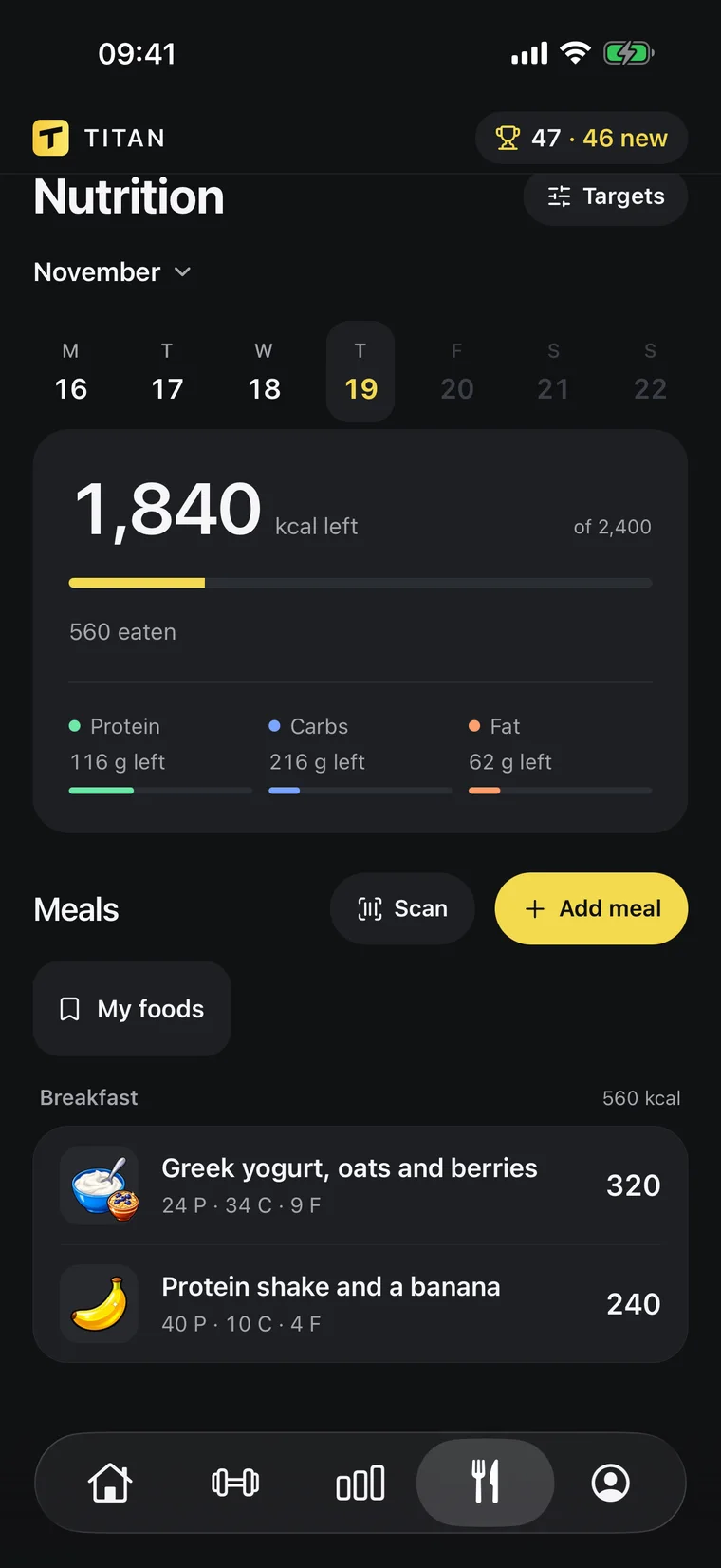
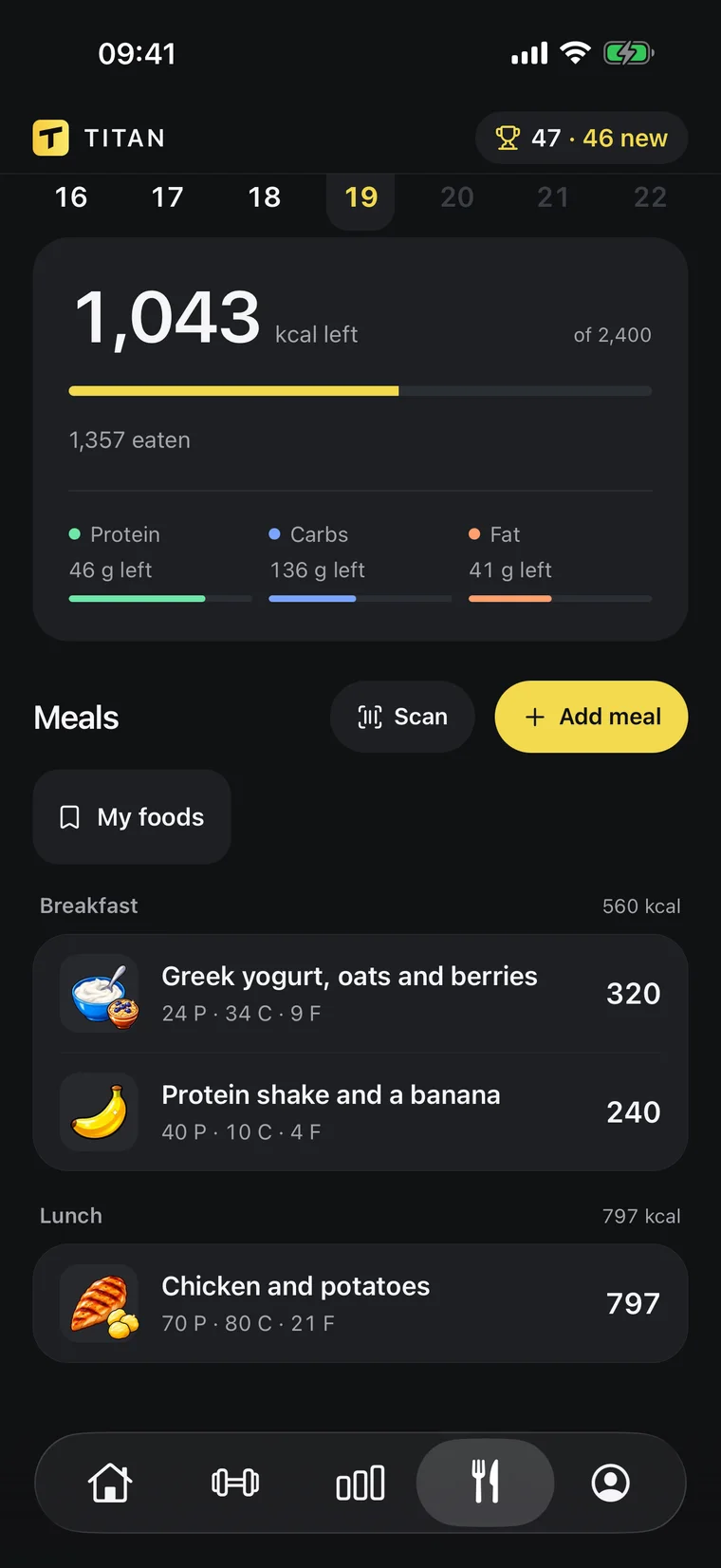
Calories and macros, done for you
Your daily target, protein and every meal in one screen. It updates the moment your AI logs something.
- Calories and macros
- Protein target
- Body-weight trend
- Edit by chat
[ PROGRESS ]
See what’s actually working
Your weight trend, your lifts and your food, side by side.
Your AI reads the same numbers when it coaches you.
- Trend weight82.5 kg
- Bench top set80 kg × 6
- Avg calories2,310
- Sets logged52
Body-weight trend
A 7-day trend line instead of daily noise, so you see where your weight is really going.
Muscles trained
See which muscles you hit this week and which ones you’ve been skipping.
Coaching from your history
Ask why your bench is stuck. Your AI answers from your real sets and suggests a change you approve.
[ TRAINING ]
A target for every set
Your AI writes the program. Titan runs it in the gym:
a weight and reps for each set, one tap to log, rest timer included.
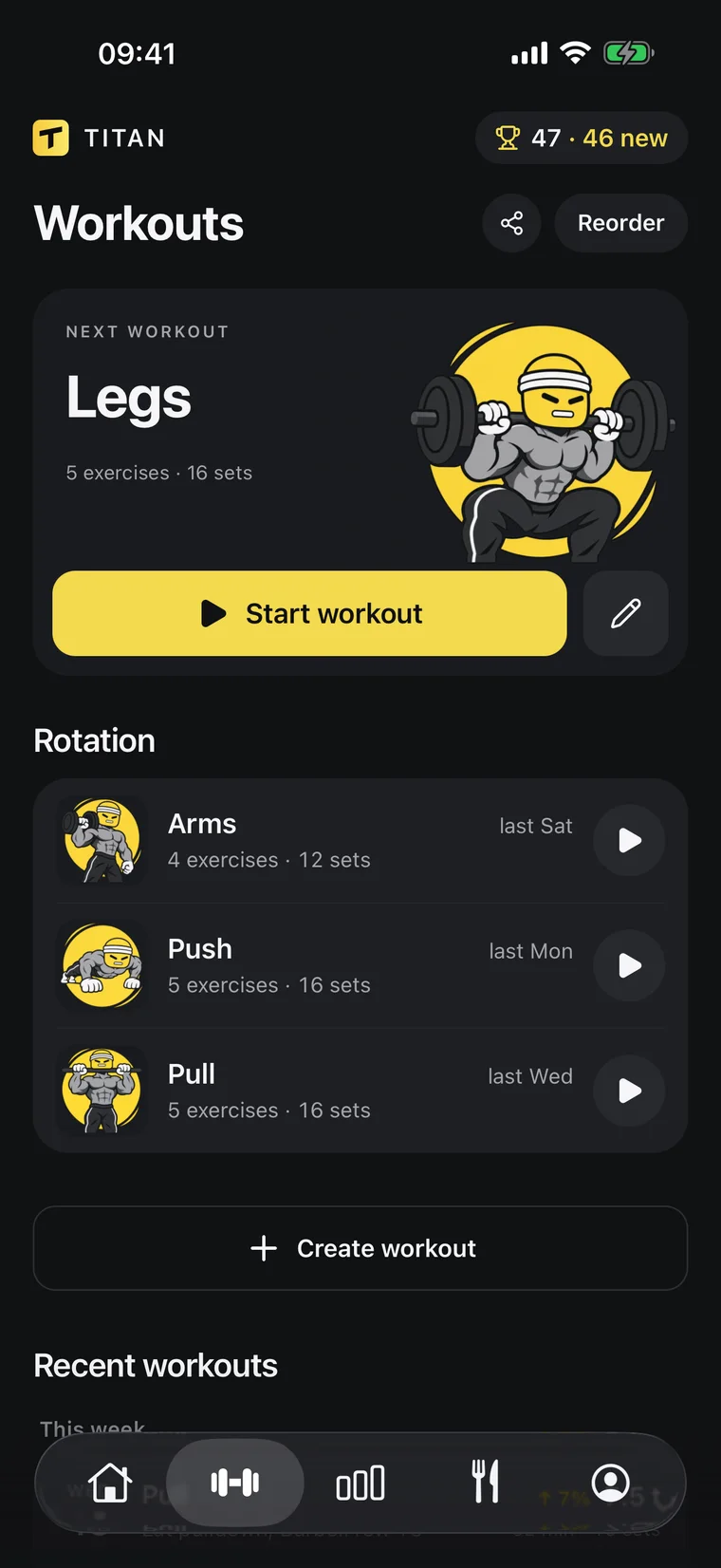
Programs your AI writes
Ask for a split and it lands in Titan as workouts, with exercises, sets and rep ranges. Change it the same way.
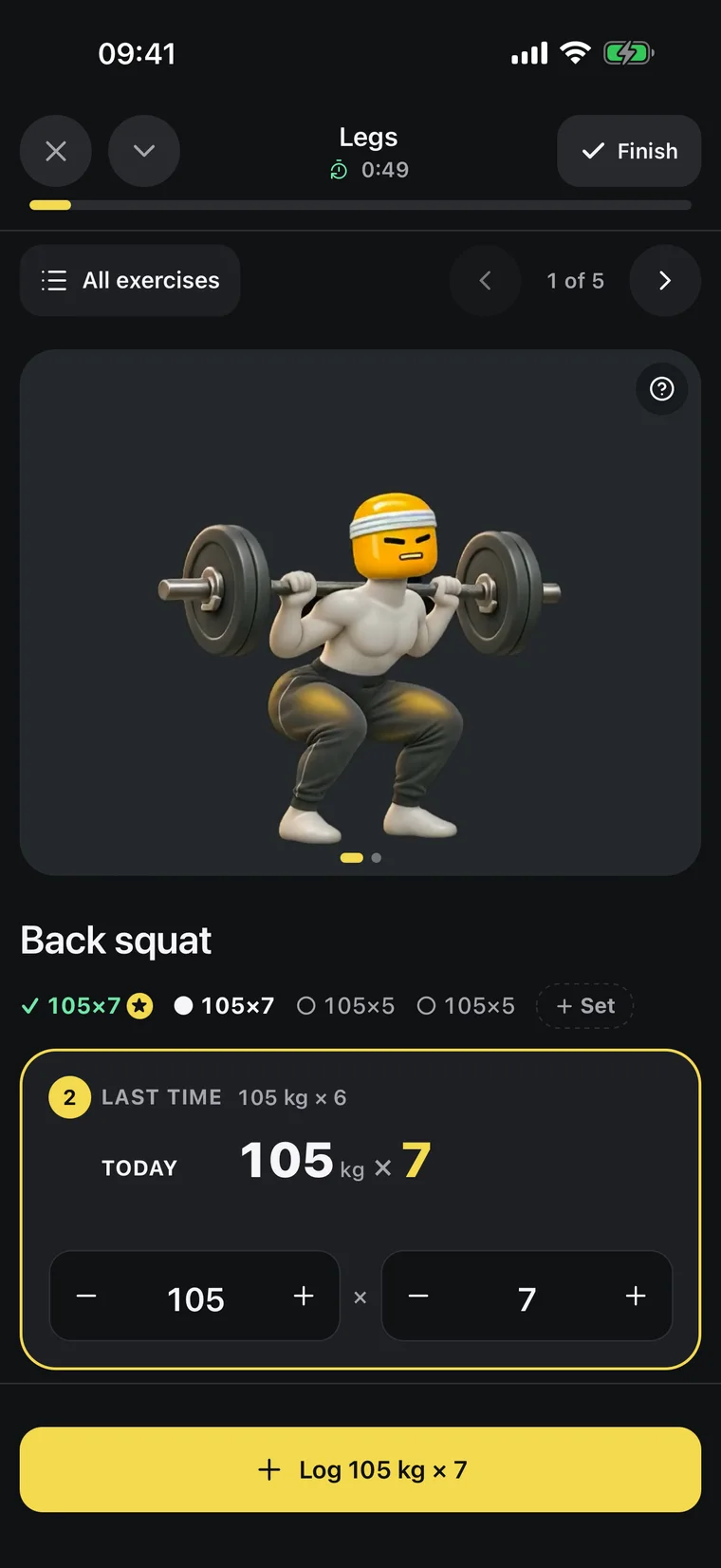
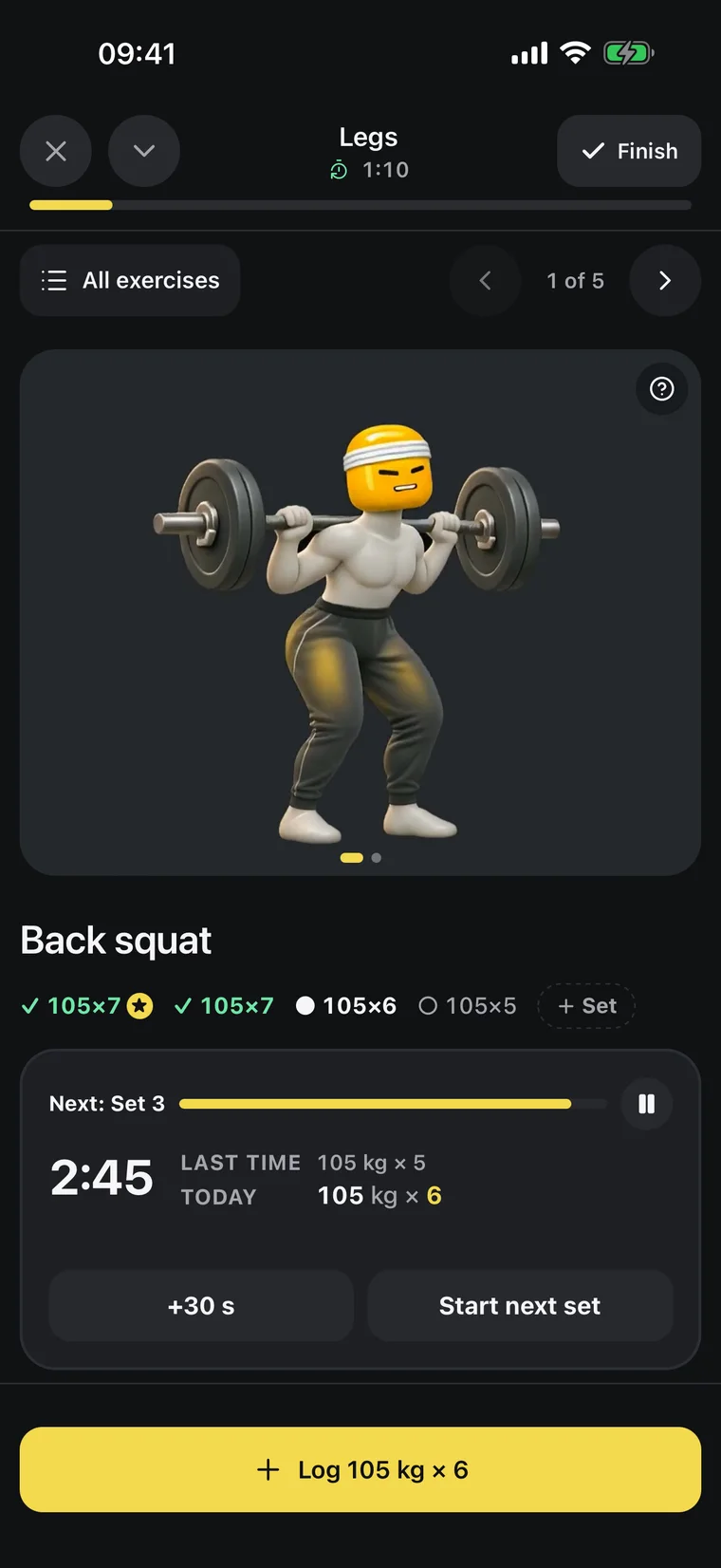
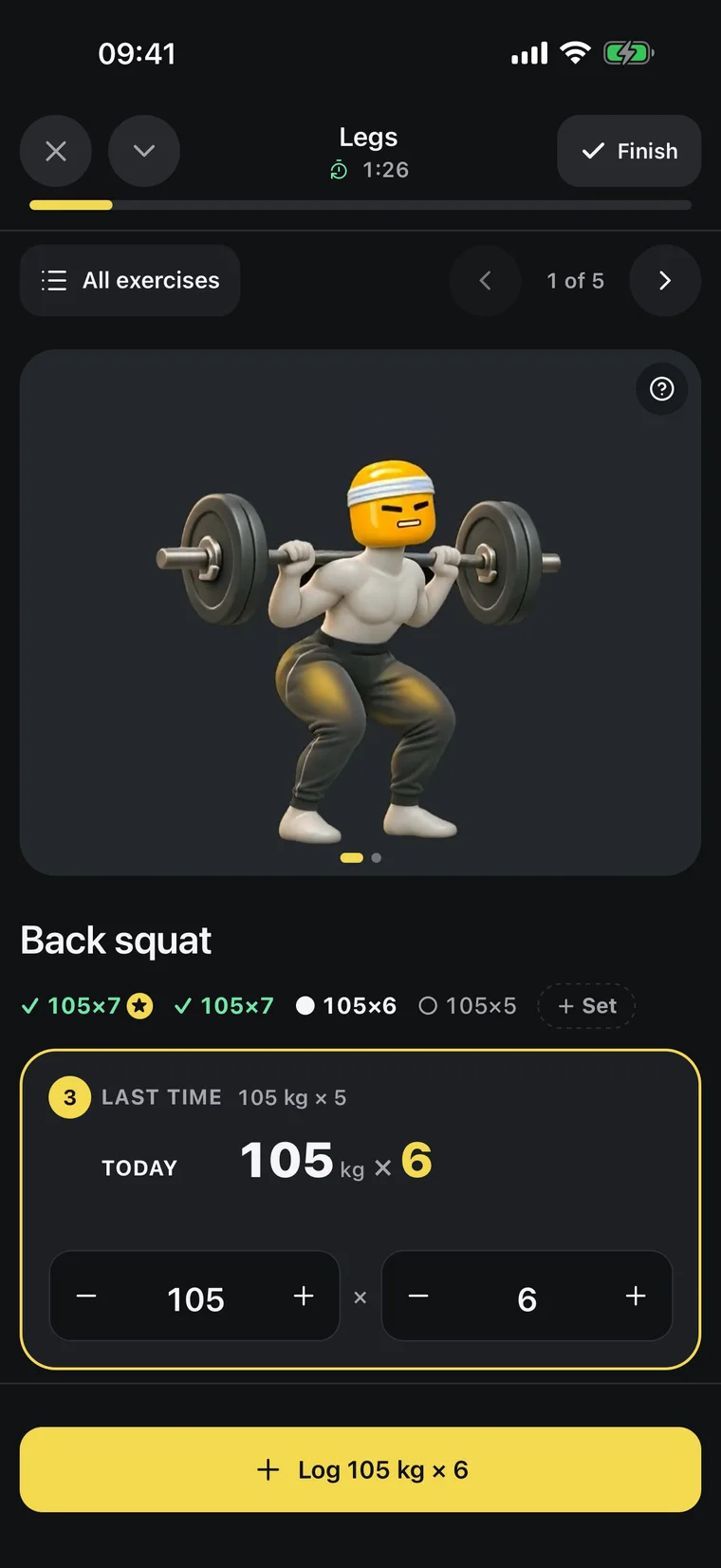
One tap per set
Titan suggests the next weight from your last session. Log the set and the rest timer starts; a notification tells you when to go again.
[ YOUR AI ]
Ask your AI
On its own, a chat forgets your training. Connect Titan to ChatGPT or Claude and ask about your meals, workouts, weigh-ins, program and anything else Titan tracks.
Titan×Works with
ClaudeMCPWhat is Titan?
Titan is a workout and calorie tracker for iPhone and Android that works with your own ChatGPT or Claude. In the gym you log each set with one tap; your AI logs meals, tracks your weight, builds your program and coaches you from your real history.
Why not just use ChatGPT or Claude?
Keep using it: Titan connects to it. On its own, a chat doesn’t keep a record of every set, can’t time your rest and isn’t made for logging at the gym. With Titan, your AI builds your program and logs your meals, you log each set with one tap, and next week it coaches you from what you really lifted and ate.
Do I need an AI?
You can use Titan without one, but the AI is the game changer. Instead of searching food lists and tapping through menus, you say what you ate or ask for a program, and it’s done. And because your AI reads every set, meal and weigh-in, it coaches you from your real numbers, not a generic plan.
iPhone or Android?
Both. Titan is on the App Store for iPhone and on Google Play for Android.
Which AI works?
ChatGPT, Claude or any assistant that supports MCP. Some need a paid plan to connect apps.
How does Titan connect to ChatGPT and Claude?
Through MCP, the open standard AI assistants use to work with apps. Add Titan's link as an app in ChatGPT or as a connector in Claude, sign in and approve access (step by step). Your assistant can then read and update your Titan data, and you can disconnect it anytime.
Can ChatGPT or Claude count my calories?
Yes, once Titan is connected. Tell it what you ate in one sentence: it estimates the calories and macros, logs the meal in Titan and your totals for the day update.
Can ChatGPT or Claude be my personal trainer?
That's the idea. On its own, a chat doesn't know your training. Connected to Titan, your AI reads every set, meal and weigh-in, saves the program it builds as your workouts and changes it when you ask.
What can my AI see and change?
Only your Titan data: meals, body weight, workouts and sets. It can't touch your account or payments, and you can disconnect it anytime.
How much do I have to type?
In the gym it's one tap per set. Food, weight and program changes are one sentence to your AI.
Who makes Titan?
Foxary SRL, a company based in Brussels, Belgium. You can write to us at contact@foxary.com.
What if I stop using Titan?
Your data stays yours to view, export or delete. You can delete your account anytime, in the app or by email (here's how).
Lift heavy.
The rest is easy.