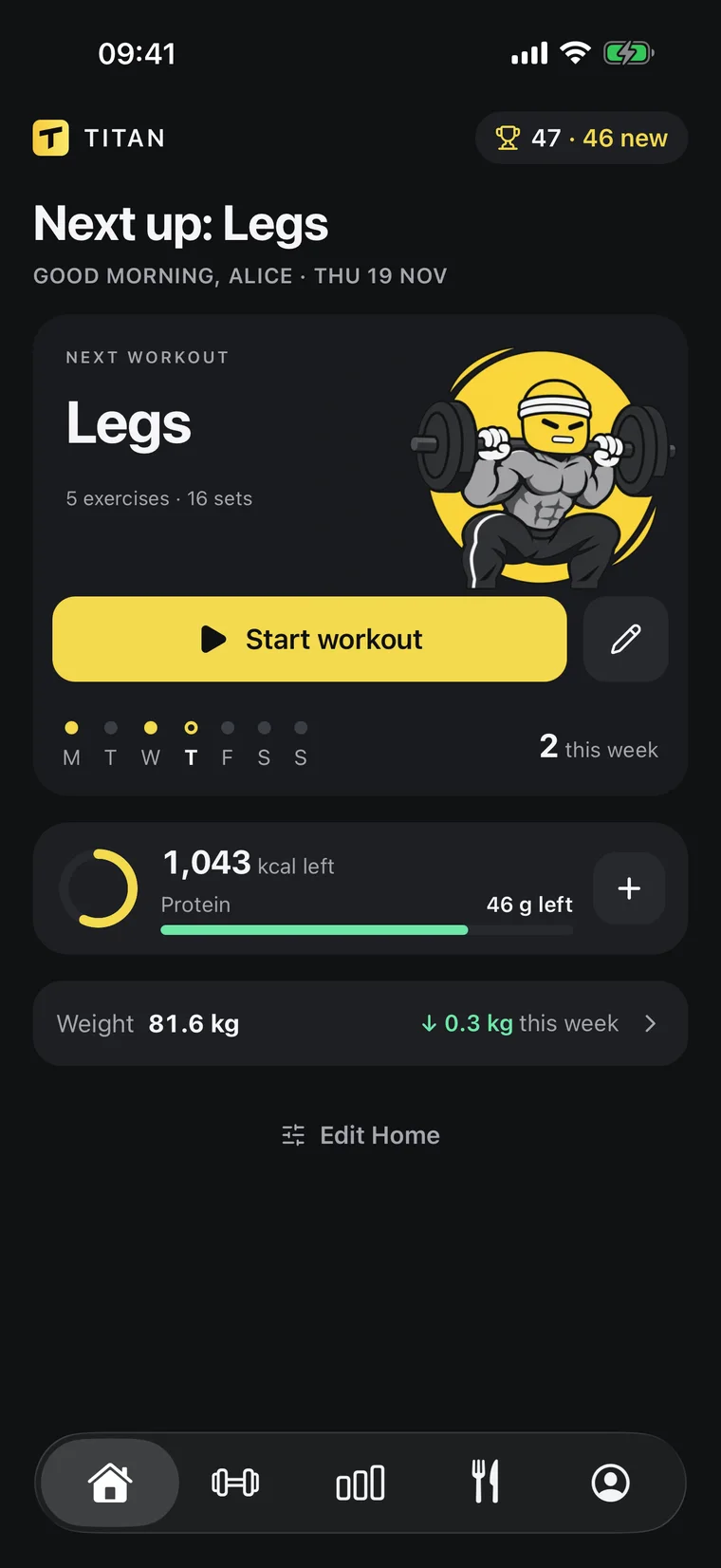
 Calorie counter app
A calorie counter app with nothing to search.
Say what you ate, or send a photo, in the chat you already use.
Titan logs the calories and keeps count of your day.
- No food lists
- Daily total kept
- Weight trend beside it


Works inside the AI you already use
ChatGPTClaude
[ NUTRITION ]
Log food in
one sentence
Tell ChatGPT or Claude what you ate. Titan saves the meal
with calories and macros, and your day updates.
ChatGPTTitan · Log mealSay it like you’d text a friend
No food database, no weighing every ingredient. Your assistant estimates the meal and logs it in Titan.
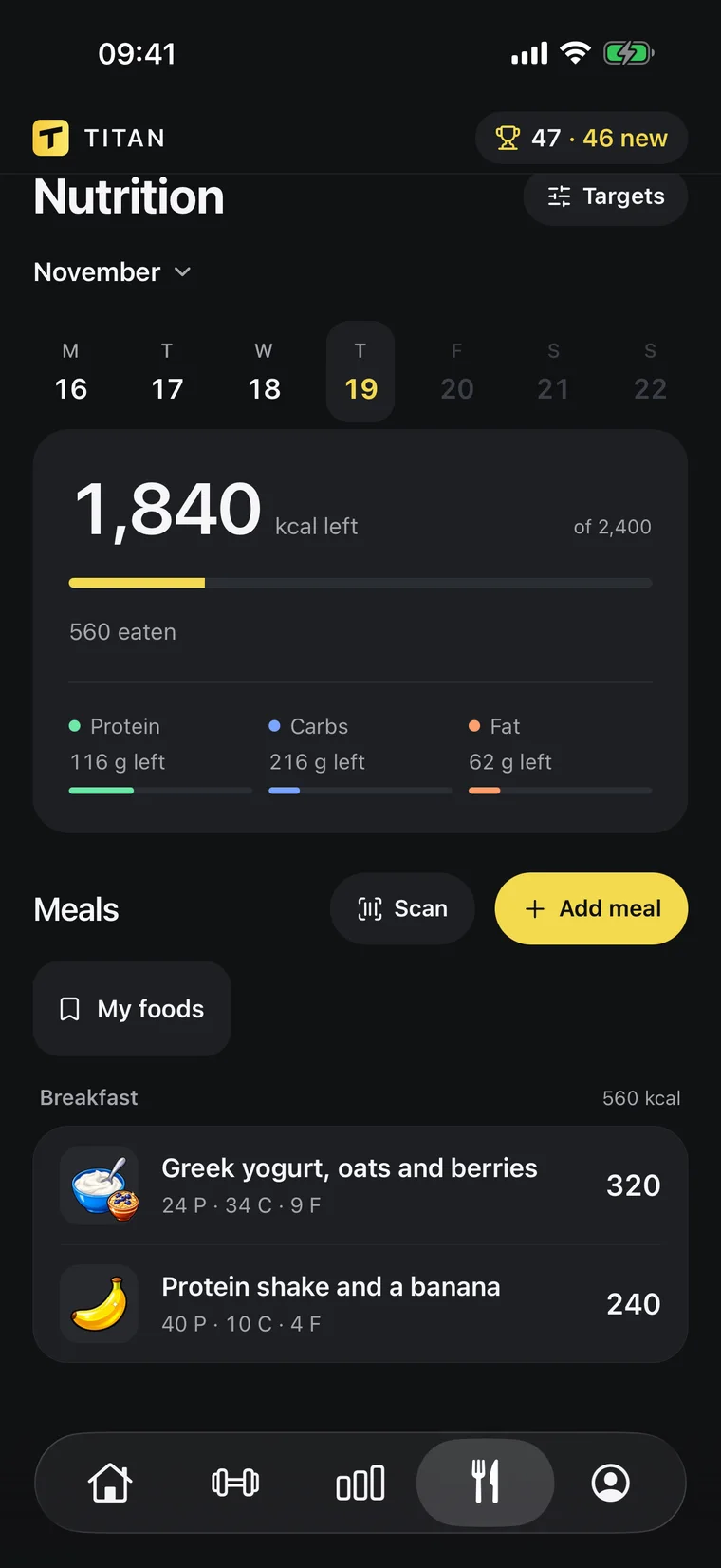
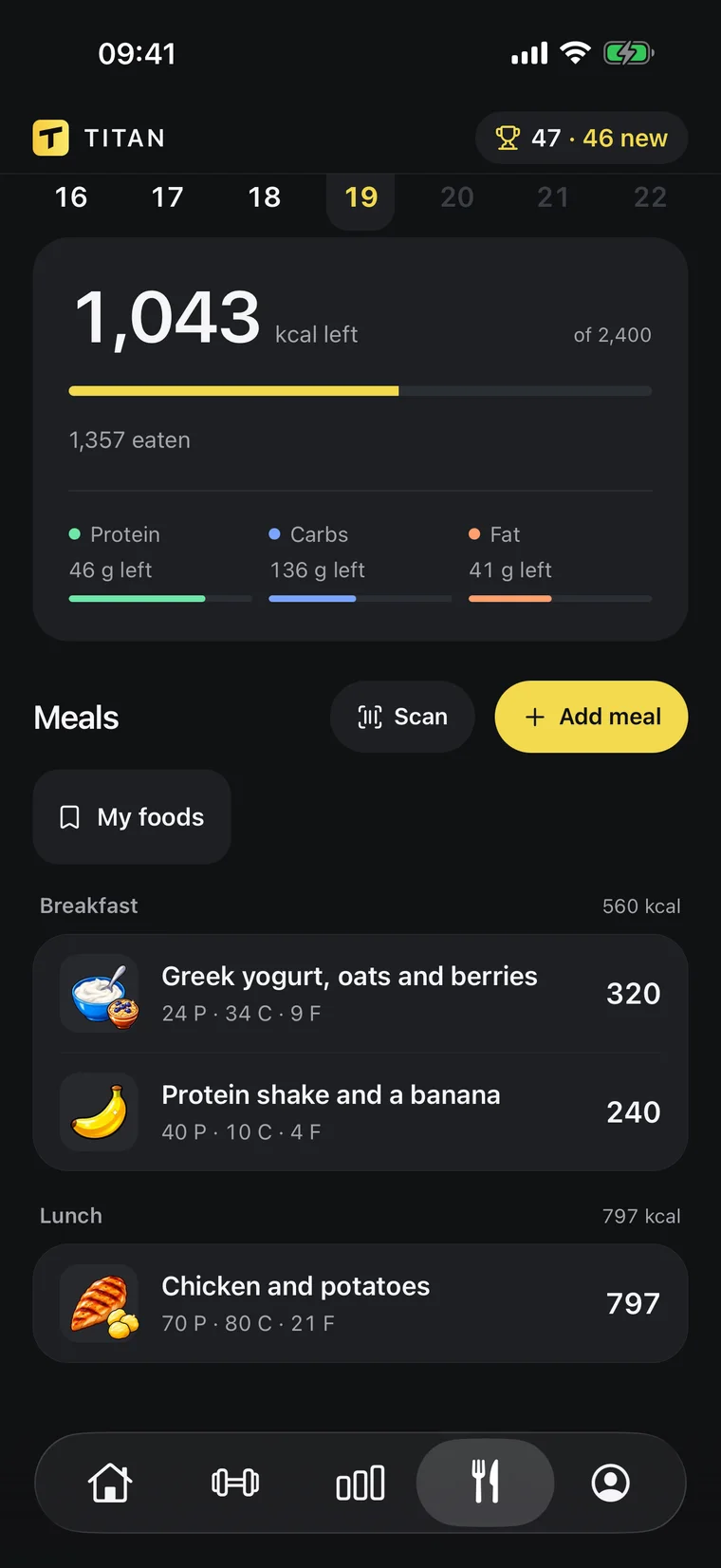
Calories and macros, done for you
Your daily target, protein and every meal in one screen. It updates the moment your AI logs something.
- Calories and macros
- Protein target
- Body-weight trend
- Edit by chat
[ PROGRESS ]
See what’s actually working
Your weight trend, your lifts and your food, side by side.
Your AI reads the same numbers when it coaches you.
- Trend weight82.5 kg
- Bench top set80 kg × 6
- Avg calories2,310
- Sets logged52
Body-weight trend
A 7-day trend line instead of daily noise, so you see where your weight is really going.
Muscles trained
See which muscles you hit this week and which ones you’ve been skipping.
Coaching from your history
Ask why your bench is stuck. Your AI answers from your real sets and suggests a change you approve.
Counting that you keep up
Most people quit counting because logging is slow. This is the fix.
Ten seconds a meal
One sentence to your AI replaces searching, picking a portion and confirming, three times a day.
One clear number
Open Titan and see what you ate and what is left for today, against a target that fits your goal.
Proof it works
Your 7-day weight trend sits next to your calories, so you see whether the plan is doing its job.
[ YOUR AI ]
Ask about your day
Your AI answers from what Titan saved: your calories today, your meals, your target and your weight trend.
Titan×Works with
ClaudeMCPHow does a calorie counter app work?
You record what you eat and the app adds up the calories against a daily target. In Titan you record it by telling your AI, in words or with a photo, and Titan keeps the total.
Do I have to weigh my food?
No. A description is enough to start. Weights and brand names make the numbers better, and you can correct any meal afterwards by asking.
How many calories should I eat?
Ask your AI to set a target in Titan. It uses your goal and your weight trend, tells you if the pace is too fast, and saves the target only when you agree.
Does it count macros too?
Yes. Every meal is saved with protein, carbs and fat as well as calories.
Can it track my workouts?
Yes. You log your sets in Titan at the gym, so food and training are read together.
What do I need?
The Titan app on iPhone or Android with an active Titan subscription, and a ChatGPT or Claude plan that can connect apps. Connecting takes about a minute, once.
Lift heavy.
The rest is easy.