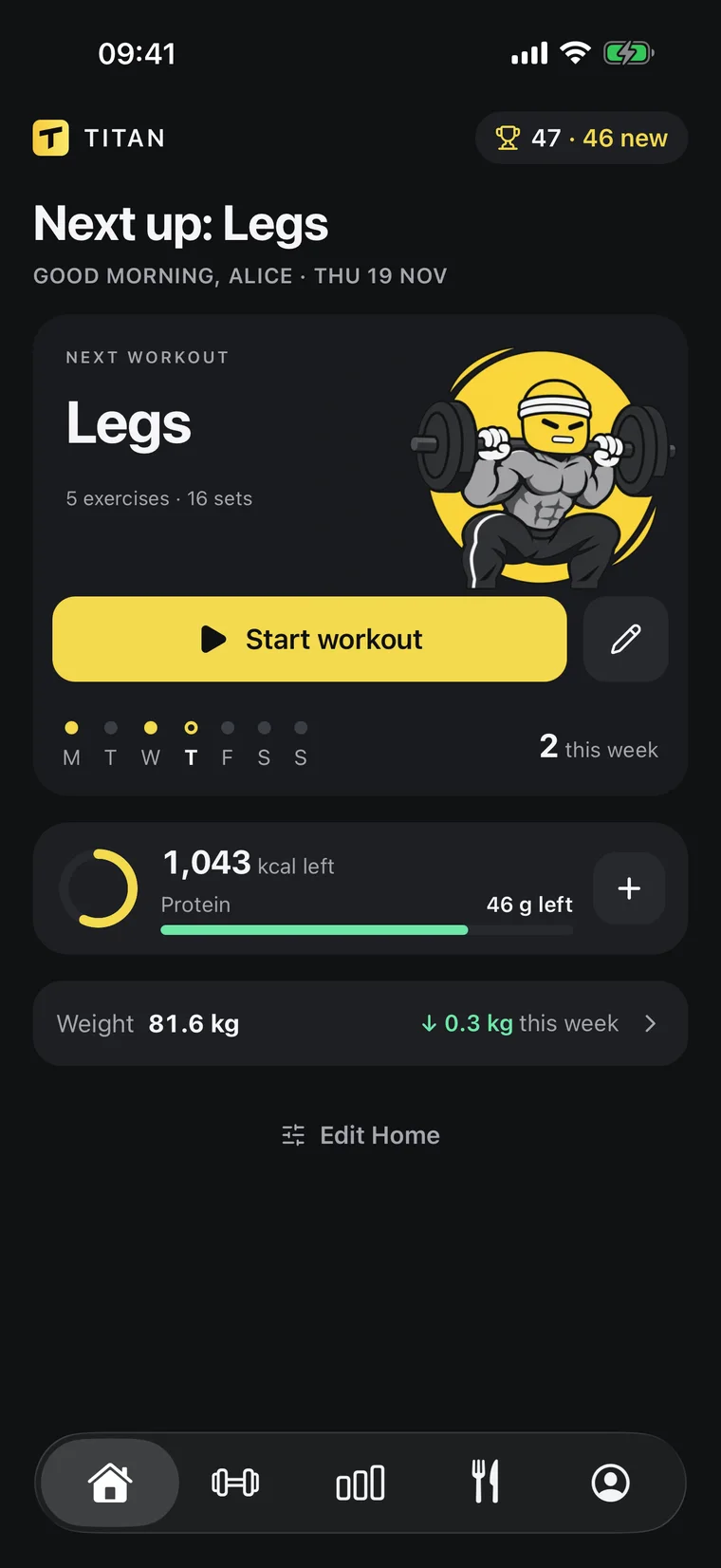
 Workout tracker app
The workout tracker app your AI can read.
Log every set with one tap and see the weight to beat.
Your ChatGPT or Claude reads the history and plans the next session.
- One tap per set
- Next weight suggested
- Rest timer included


Works inside the AI you already use
ChatGPTClaude
[ TRAINING ]
A target for every set
Your AI writes the program. Titan runs it in the gym:
a weight and reps for each set, one tap to log, rest timer included.
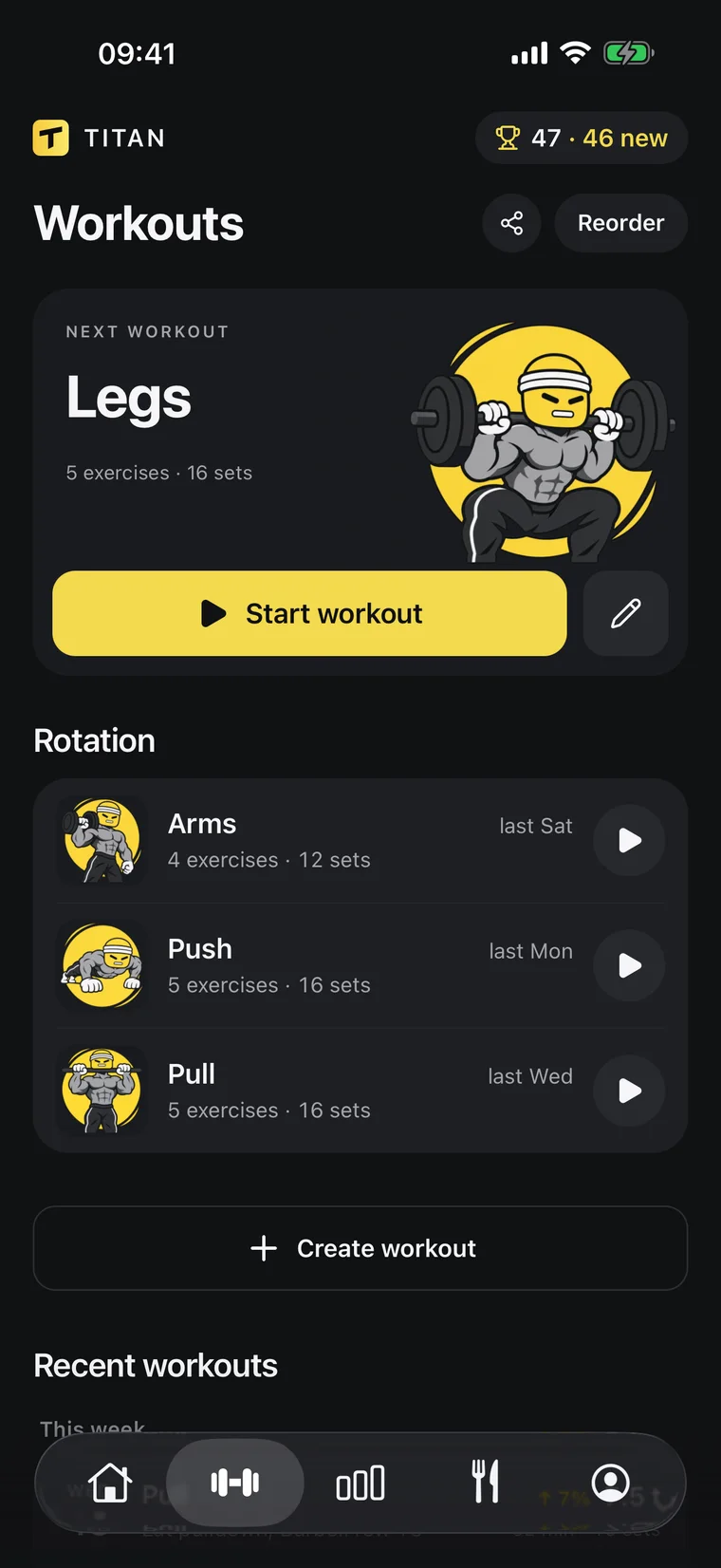
Programs your AI writes
Ask for a split and it lands in Titan as workouts, with exercises, sets and rep ranges. Change it the same way.
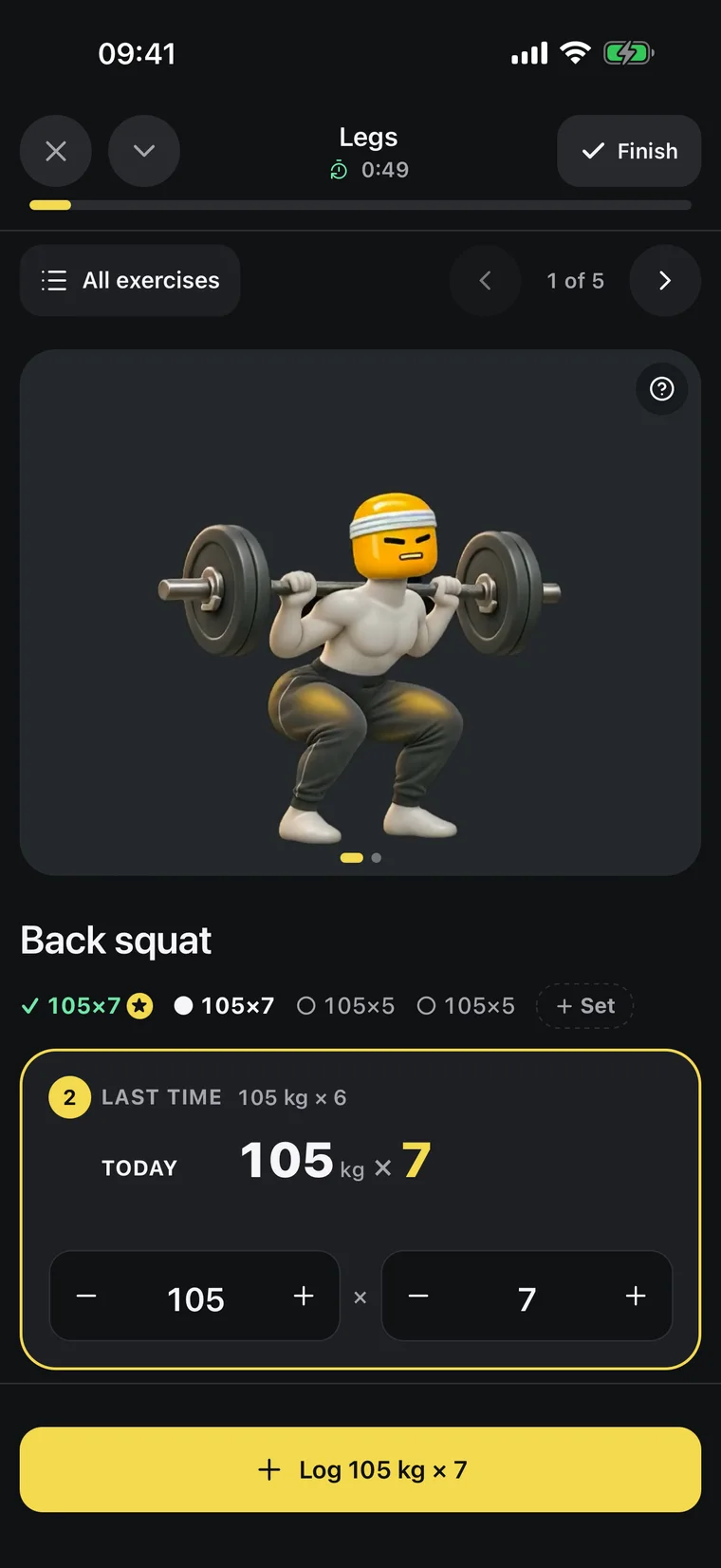
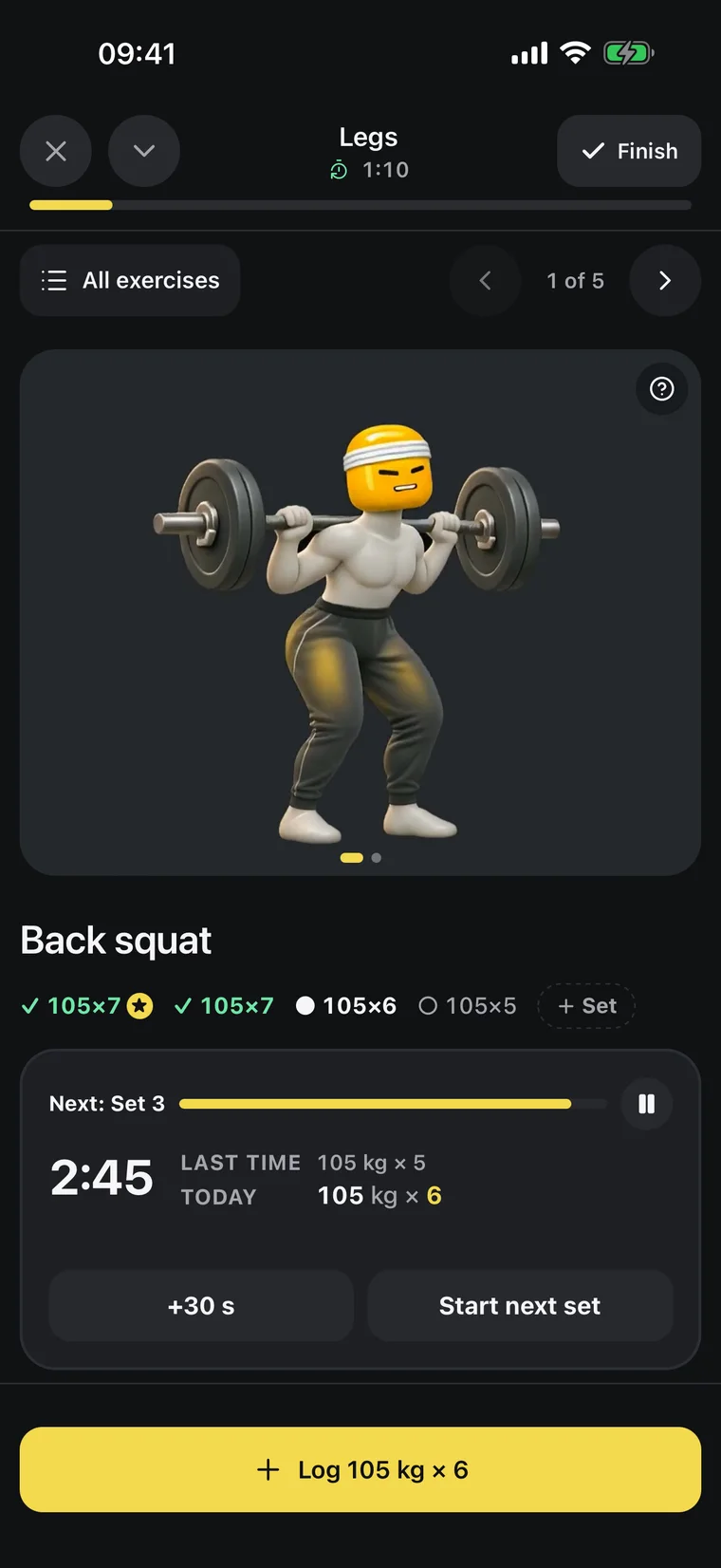
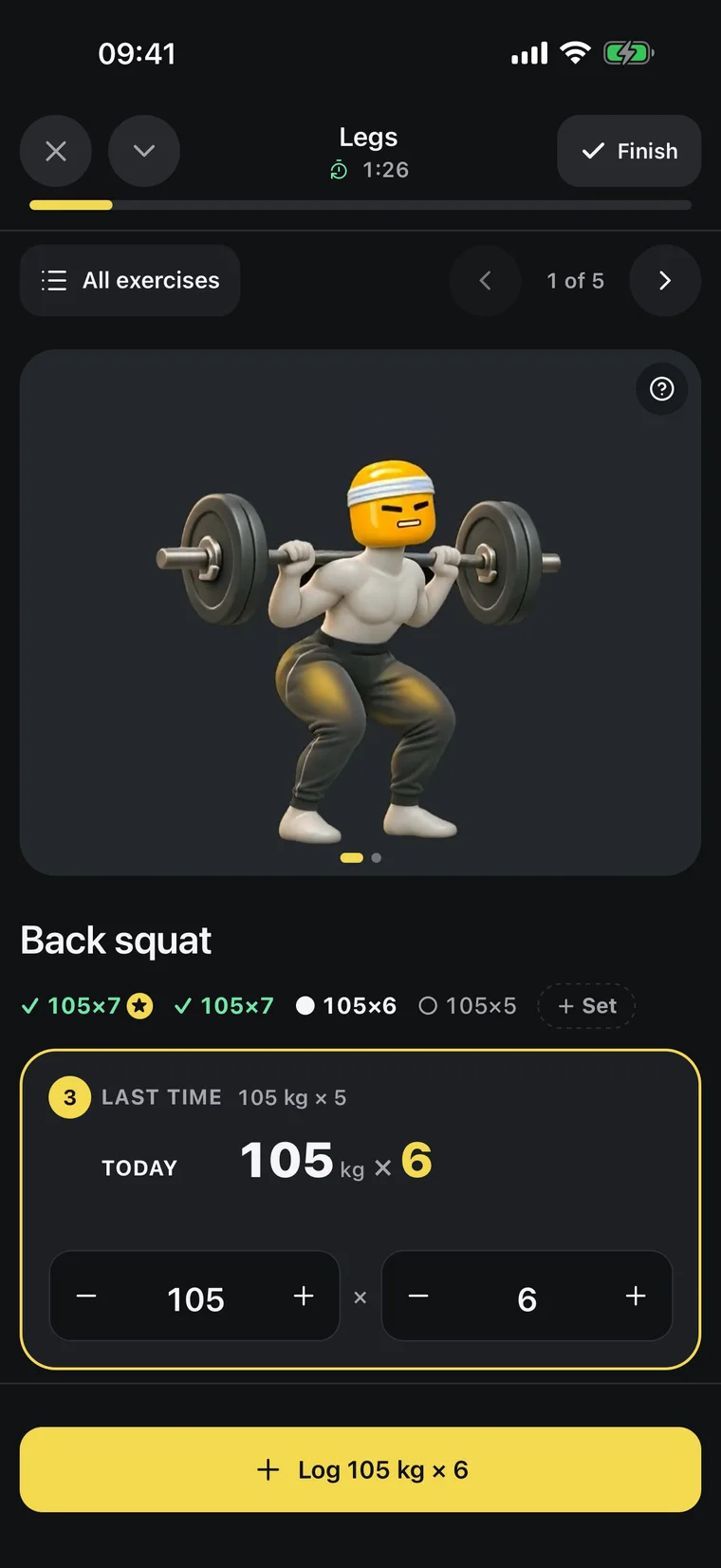
One tap per set
Titan suggests the next weight from your last session. Log the set and the rest timer starts; a notification tells you when to go again.
[ PROGRESS ]
See what’s actually working
Your weight trend, your lifts and your food, side by side.
Your AI reads the same numbers when it coaches you.
- Trend weight82.5 kg
- Bench top set80 kg × 6
- Avg calories2,310
- Sets logged52
Body-weight trend
A 7-day trend line instead of daily noise, so you see where your weight is really going.
Muscles trained
See which muscles you hit this week and which ones you’ve been skipping.
Coaching from your history
Ask why your bench is stuck. Your AI answers from your real sets and suggests a change you approve.
Built for the gym floor
Three things a workout log has to get right.
Fast between sets
The set is already filled in with your target. One tap logs it and starts the rest timer.
A real history
Every workout, set and personal best is kept, so progress is a line you can see, not a feeling.
A program that moves
Your AI reads what you lifted and proposes the next step. It is saved only when you agree.
[ YOUR AI ]
Ask about your training
Because the log lives in Titan, your AI can answer from your real workouts, sets, personal bests and program.
Titan×Works with
ClaudeMCPWhat does a workout tracker app do?
It records every set you lift: exercise, weight and reps. A good one also shows what to aim for next and times your rest, so you spend the session lifting instead of typing.
How do I log a set in Titan?
Start the workout and tap the set. Titan fills in the weight and reps to aim for from your last session; change them if you did more or less. The rest timer starts by itself.
Do I have to build my own routine?
No. Ask your ChatGPT or Claude for a program and it is saved in Titan as workouts. You can also edit exercises, sets and order yourself.
Does it work on iPhone and Android?
Yes. Titan is on the App Store and on Google Play, and your workouts are the same on both.
Can it track food as well?
Yes. Tell your AI what you ate and it logs the meal in Titan with calories and macros, next to your training.
What do I need?
The Titan app on iPhone or Android with an active Titan subscription, and a ChatGPT or Claude plan that can connect apps. Connecting takes about a minute, once.
Lift heavy.
The rest is easy.